
Understand every formula, instantly.
Tracey turns any Excel formula into a visual, navigable audit trail. Trace precedents and dependents across sheets, see live values at every step, and move through complex models with confidence.
No credit card required · Excel for Windows & Mac
Built for analysts in
See it trace a live model.
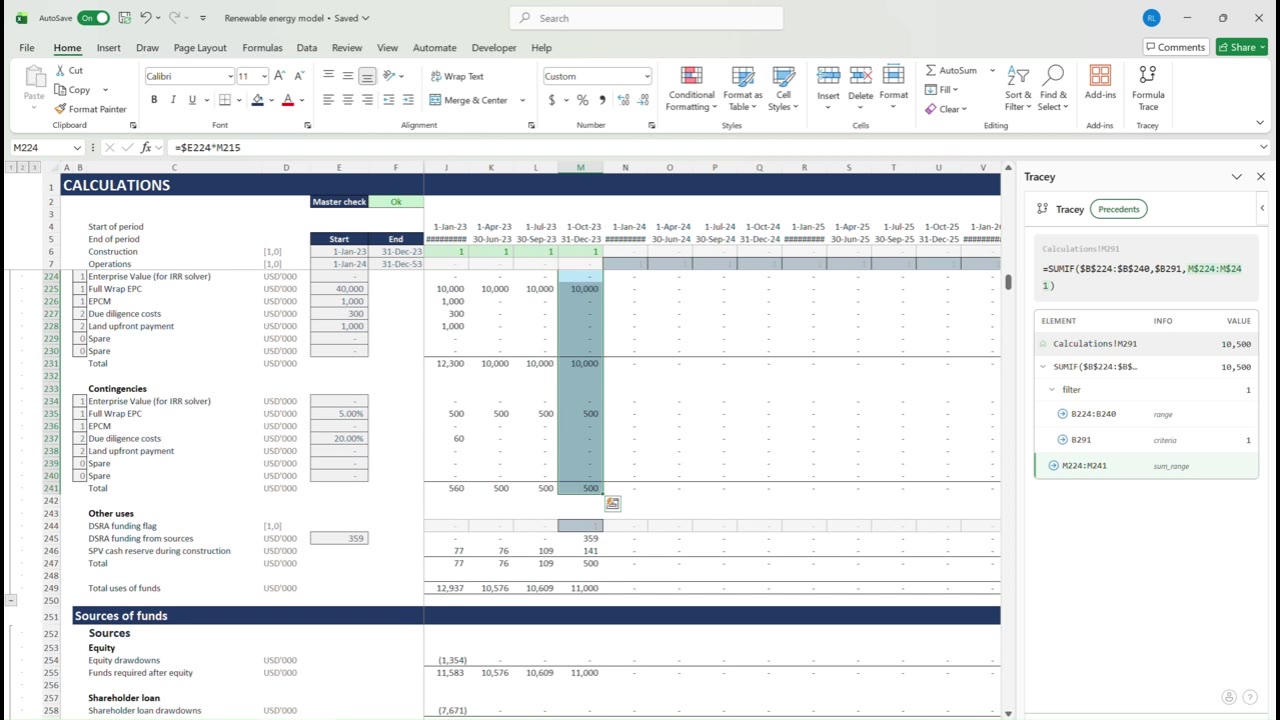
A real project finance model. Press Ctrl+Q on any cell and Tracey maps its precedents while you watch.
Everything you need to understand a model.
Built for analysts who live in complex spreadsheets.
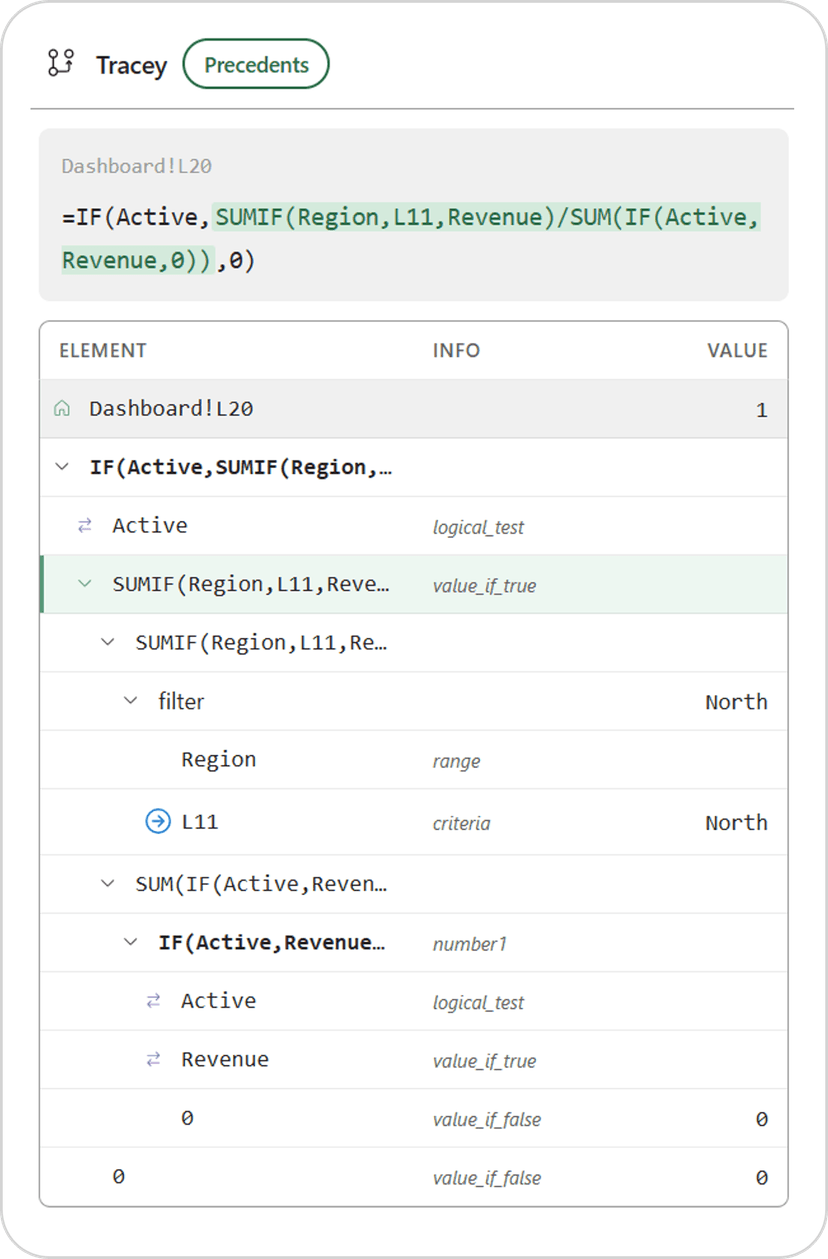
Full formula tree
Every function, argument, and operator rendered as a collapsible tree. Navigate any depth without losing your place.
Precedents & dependents
Trace every cell that feeds into, or depends on, the selected formula, across every sheet in your workbook.
Smart cell highlighting
Tracey resolves OFFSET, INDEX, MATCH, VLOOKUP, and XLOOKUP live, and highlights the exact cells your formula actually uses.
Cross-sheet navigation
Jump directly to any reference in the tree, even on another sheet or in a named range, and return in one click.
Inline value evaluation
See the computed value of every sub-expression right in the tree, without leaving the task pane.
Excel for Windows & Mac
Works in Excel 365 on both platforms. No installation of external software required.
How it works.
Open the Tracey task pane in Excel and start exploring.
Select any cell
Click any cell containing a formula and press Ctrl+Q. Tracey parses the structure instantly.
Explore the tree
Expand and collapse branches. Each node shows the function name, argument role, and computed value.
Navigate to any reference
Click any cell reference in the tree to jump to it. Tracey highlights the precedent range in your sheet.
Your models stay yours.
Tracey is built for the kind of work where confidentiality is not optional.
Everything runs locally
Formula parsing and value evaluation happen inside the Excel task pane on your machine. Workbook content is never sent to a server.
Minimal account data
Your account is your email, display name, and subscription status. That is the whole list.
Read-only by design
Tracey never modifies your workbooks. Highlights restore your original formatting the moment you close the pane.
The details are in our privacy policy.
Ready to see inside your models?
7-day free trial. No credit card required.